
Contents
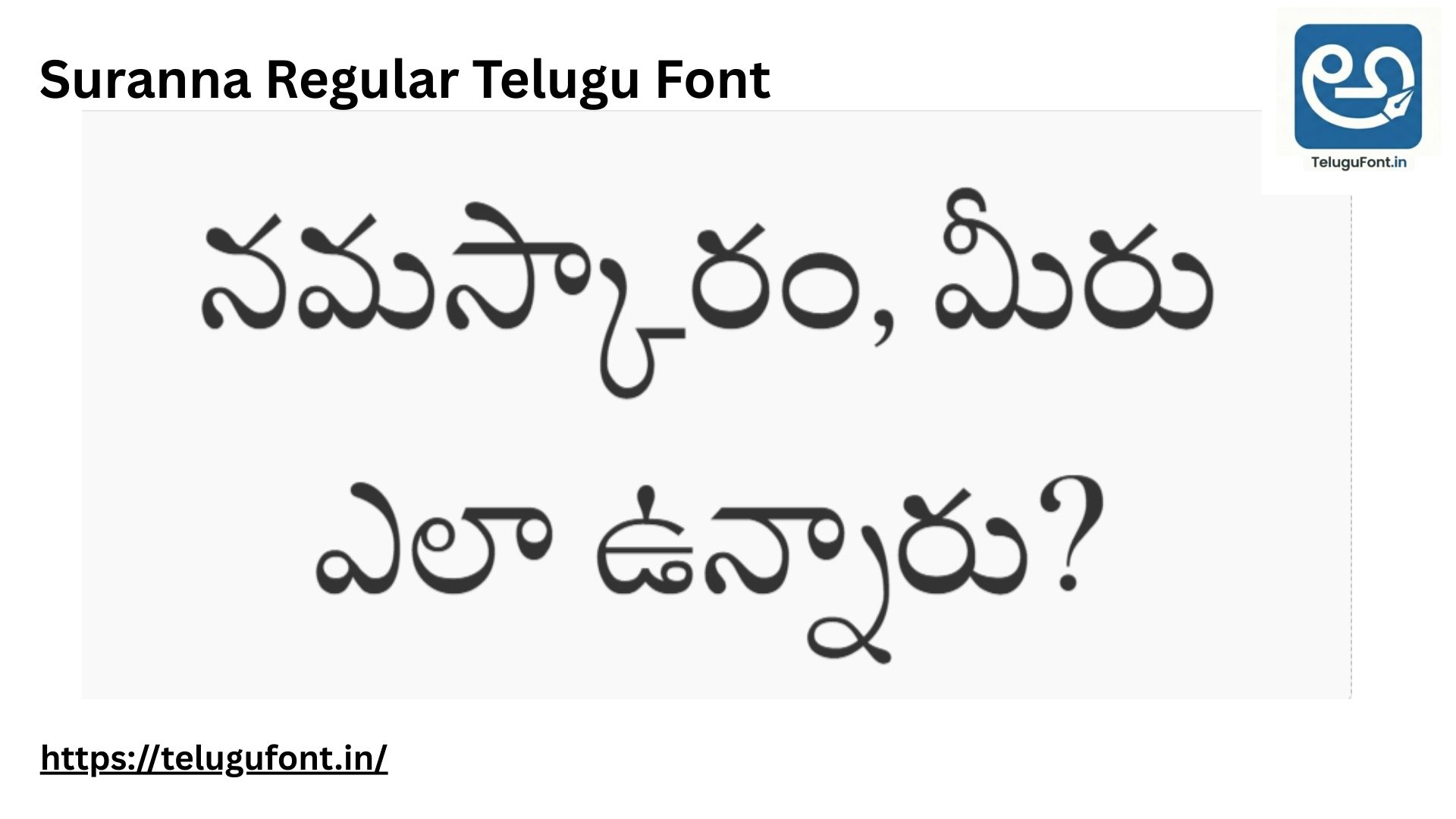
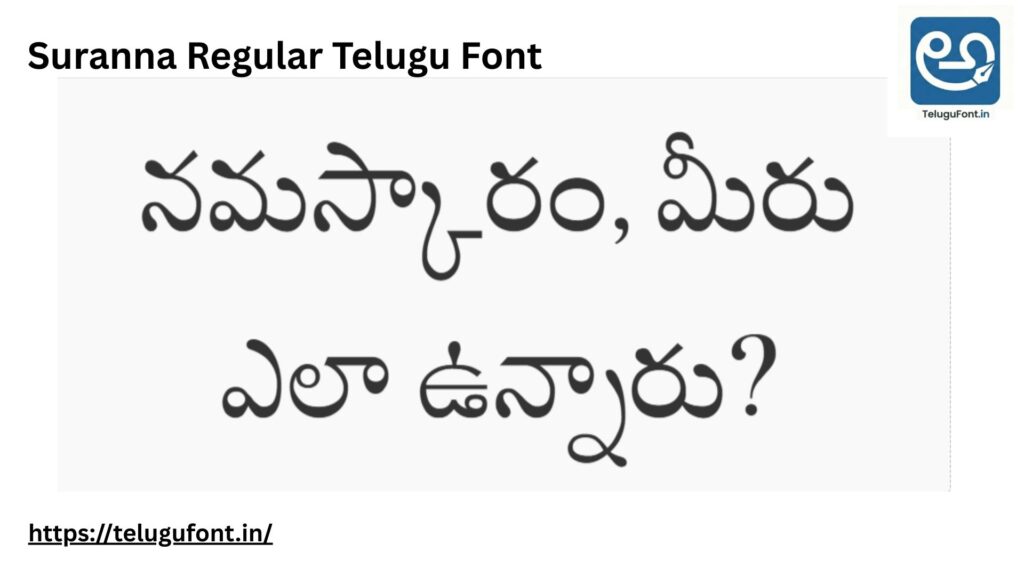
Suranna Regular Telugu Font: Finding the perfect Telugu font can be a challenge. Whether you are a graphic designer, a student working on a project, or a content creator, you need a font that looks professional, is easy to read, and works correctly on all devices. You are at the right place! Today, we are discussing Suranna Regular, one of the most widely used and highly rated OpenType Telugu fonts available on the internet.
The Telugu language, often called the “Italian of the East,” is known for its beautiful, round curves. A good font must preserve this beauty while ensuring that the text is legible on digital screens and printed paper. Suranna Regular Telugu Font does exactly that. It strikes the perfect balance between traditional calligraphy and modern typography standards.
In this comprehensive guide, we will provide you with the direct download link, a live preview, and a step-by-step tutorial on how to install this font on Windows, Mac, and Android devices. We will also discuss why this font is better than many others and how you can use it for commercial and personal projects.
| ⚡ Quick Font Overview | |
|---|---|
| Font Name | Suranna Regular |
| Language | Telugu (తెలుగు) |
| Font Type | OpenType (OTF) & TrueType (TTF) |
| Category | Serif / Regular |
| File Size | Approx 130 KB (Lightweight) |
| Compatibility | Windows, Mac, Linux, Android |
What Makes Suranna Regular Telugu Font Special?
You might be wondering, “Why should I download Suranna when there are hundreds of other Telugu fonts?” The answer lies in its simplicity and structure. Unlike decorative fonts that are hard to read in small sizes, Suranna Regular is designed for long-form reading.
- Perfect Stroke Thickness: The lines in Suranna Regular are neither too thin nor too thick. This uniformity makes it an excellent choice for printing books, newspapers, and official documents where clarity is paramount.
- Unicode Compliance: This is an OpenType font, which means it follows Unicode standards. You can use it directly with “Google Input Tools” or standard Telugu keyboards built into Windows 10 and 11. You do not need special software like Anu Script Manager to use this font, which makes it very user-friendly for beginners.
- Round and Clear Curves: Telugu script relies heavily on circles and loops (Sunna). Suranna renders these loops perfectly without pixelation, even at larger font sizes used in banners or headings.
Best Use Cases for This Font
Because of its professional look, Suranna Regular is versatile. Here are some specific scenarios where this font shines:
- Resume and CVs: If you are applying for a job in a Telugu-medium organisation or creating a bio-data for matrimonial purposes, this font gives a neat and respectful appearance.
- Book Publishing: Authors and self-publishers use Suranna for novels and storybooks because it is easy on the eyes, allowing readers to focus on the story rather than struggling with the text.
- Government Applications: Many official forms and petitions in Andhra Pradesh and Telangana require typed text. Suranna is accepted universally for such formal correspondence.
- Web Design: If you run a Telugu blog or news website, embedding this font (using Webfont technology) ensures your readers see the text exactly as you intended, regardless of their device.
Live Font Preview
Before you download, you can test the font right here. Type your name or any Telugu sentence in the box below to see how it looks.
Type below to test “Suranna Regular”:
How to Install Suranna Regular on Your Device
Downloading the file is easy, but installing it correctly is important to make sure it works in all your software (like MS Word, Photoshop, or Premiere Pro). Follow the guide below for your specific device.
Method 1: Installing on Windows (10/11)
This is the most common method for laptop and PC users.
- Download the File: Click the download button at the bottom of this page. You will get a
.zipfile or a.ttf/.otffile. - Extract the Zip: If it is a zip file, right-click on it and select “Extract All.” You cannot install a font while it is still inside a zip folder.
- Right-Click and Install: Look for the file ending in
.ttfor.otf. Right-click on it and select “Install for all users”. This is a crucial step! Selecting “for all users” ensures the font is available in every software you use. - Restart Your Software: If you had MS Word or Photoshop open during installation, close them and open them again. The font name “Suranna” will now appear in your font list.
Method 2: Installing on MacBook / macOS
- Double-click the downloaded font file.
- A preview window titled “Font Book” will open.
- Click the small button that says “Install Font” at the bottom of the window.
- Mac will automatically validate the font and add it to your system. You are ready to go!
Method 3: Using on Android Mobile
Android phones do not allow you to change the system-wide font easily without rooting. However, you can use Suranna Regular in editing apps for quotes and thumbnails.
- Now you can type beautiful Telugu quotes on your photos!
- Download the font file to your phone’s internal storage.
- Open an app like Pixellab, InShot, or PicsArt.
- Go to the “Text” tool and look for the “My Fonts” or “Import Font” option.
- Navigate to your download folder and select the Suranna file.
Common Issues and Fixes
Even with the best fonts, users sometimes face issues. Here are the solutions to common problems we receive in the comments.
Q: The letters are breaking or looking wrong (Guninthalu issues). Why? A: This usually happens if your software does not support “Complex Script Layouts.” If you are using Windows XP or an old version of Photoshop (like CS3 or 7.0), the Vatthulu might detach from the main letter. We recommend upgrading to Windows 10/11 and using the latest Adobe CC versions.
Q: I cannot find “Suranna” in my font list after installing. A: This is a common cache error. First, restart your computer. If it still doesn’t appear, try reinstalling the font by right-clicking and selecting “Install for all users” again. Also, check if it is listed under the Telugu name “సూరన్న” instead of English.
Q: Can I use this for YouTube Thumbnails? A: Absolutely! Suranna Regular is very clear and bold enough to be read on small mobile screens, making it an excellent choice for YouTube thumbnails and social media posters.
Comparison with Other Fonts
- Suranna vs. Ramabhadra: Ramabhadra is slightly thicker and bolder, making it good for headlines. Suranna is lighter and better for paragraph text.
- Suranna vs. Ponnala: Ponnala has a more artistic, handwritten feel. Suranna is more formal and official.
- Suranna vs. Tenali Ramakrishna: Tenali Ramakrishna is very popular but has a slightly different curvature. Suranna is preferred for strictly formal documents.
Download Suranna Regular Now
Click the button below to start your free download. We ensure the file is safe and virus-free.
📥 Ready to Download?
Click the button below to start your secure download.
The file is verified and 100% virus-free.
File Details: Suranna-Regular.woff
Frequently Asked Questions (FAQs)
1. Is Suranna Regular free for commercial use? Yes, this is an Open source font, so you can generally use it for personal and commercial projects. However, always check the license file included in the zip folder.
2. Can I use this font in Google Docs? If the font is available in the Google Fonts library, yes. Otherwise, you can use it on your local PC software like MS Word.
3. Why is the font not showing after installation? If the font doesn’t appear immediately, try restarting your computer or the software (like MS Word) you are using.
Final Thoughts
In the digital age, preserving our native language requires the right tools. Suranna Regular is more than just a font file; it is a tool that helps you express your thoughts in Telugu with clarity and elegance.
Whether you are typing a school project, designing a wedding card, or publishing a book, this font will not disappoint you. Its compatibility with modern operating systems and clean design makes it a “must-have” for every Telugu computer user.
We hope this article helped you understand everything about the Suranna Regular font. If you successfully installed it, let us know in the comments below! If you faced any errors, drop a query, and our team will help you fix it immediately.
Don’t forget to share this post with your designer friends and help them find this beautiful resource!


1 thought on “Suranna Regular Telugu Font – Free Download & Preview (2026)”